 button on the toolbar.)
Now, suppose you thought that the second sentence of the paragraph wasn't needed, and you wanted to let the writer know so that they could decide to delete it or not. Here you could insert a comment, rather than deleting the text.
Word allows you to insert a comment about a specific piece of text. To do this:
button on the toolbar.)You should see something like the following: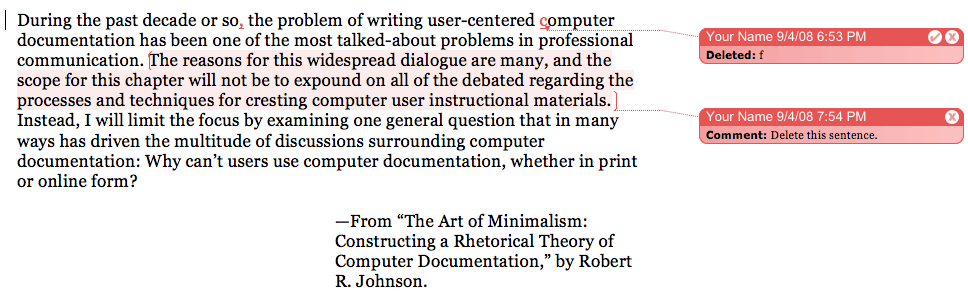
Notice the colored text—this lets the writer know what text the comment in the margin refers to. Experiment with adding more comments to the document before moving on. When you are done, close the document.
Next >>